
 English
 Français
 Deutsch
 Português
 Español
 русский
  한국어
한국어 العربية
 Italiano
 Indonesia
 Schweiz
 Polski
 Nederlands
 ישראל - עברית
 Perzisch
 ไทย
ไทย 日本語
日本語 ኢትዮ-አማርኛ
 Việt Nam
 Kiswahili
 Srpski
 Ελληνικά
 简体中文
简体中文Why Your ebm-papst Fan Won't Start, Runs Unsteadily, or Makes Noise?
 |
|
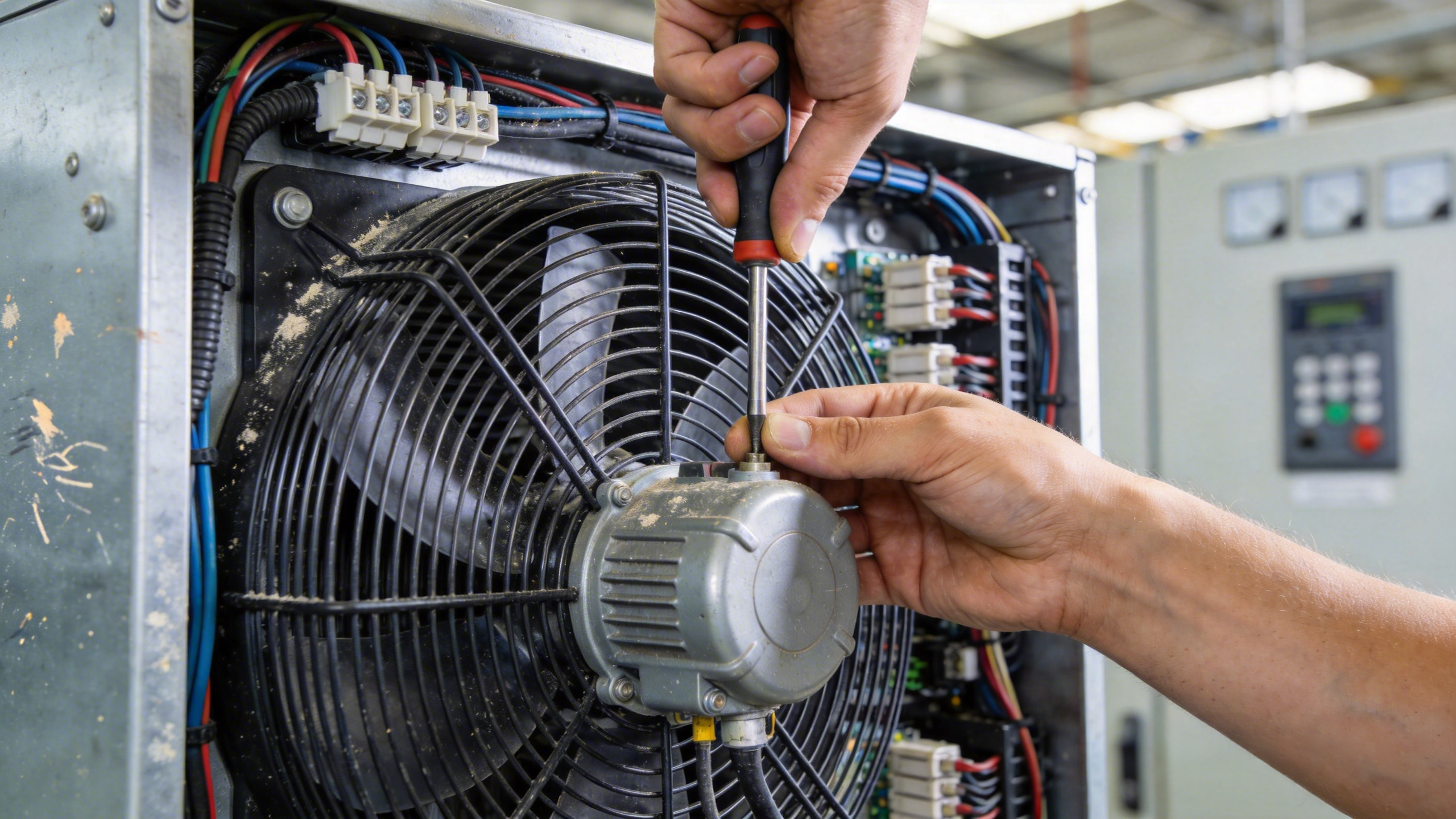
Pic.1 Fan damage maintenance |
Industrial fans are expected to run continuously for thousands of hours with minimal maintenance. That's one of the reasons why ebm-papst fans are widely used in AHUs, cooling towers, data centers, refrigeration systems, and industrial ventilation.
However, even a high-quality fan may eventually show symptoms such as:
When these issues occur, many people immediately assume the motor has failed.In reality, that's often not the case.
A systematic troubleshooting process can help identify whether the problem originates from the power supply, control signal, protection logic, mechanical components, or the surrounding operating environment—avoiding unnecessary replacement of expensive components.
One of the most common mistakes in field maintenance is replacing motors or control boards before confirming basic operating conditions.
A practical inspection sequence is:Verify the power supply
In one real service case, the fan failed to start simply because the insulation had not been stripped sufficiently, preventing the conductor from making contact inside the capacitor terminal.
The fan operated normally once the wiring was corrected.
For EC fans, having AC power available does not necessarily mean the fan should run.
Also verify:
A missing control signal may produce symptoms that look identical to a motor failure.
Modern EC fans integrate multiple protection functions, including:
If protection has been triggered, the fan may refuse to start or repeatedly attempt to restart.
It's important to remember:
Protection status indicates that an abnormal operating condition exists—it does not automatically identify which component has failed.
 |
|
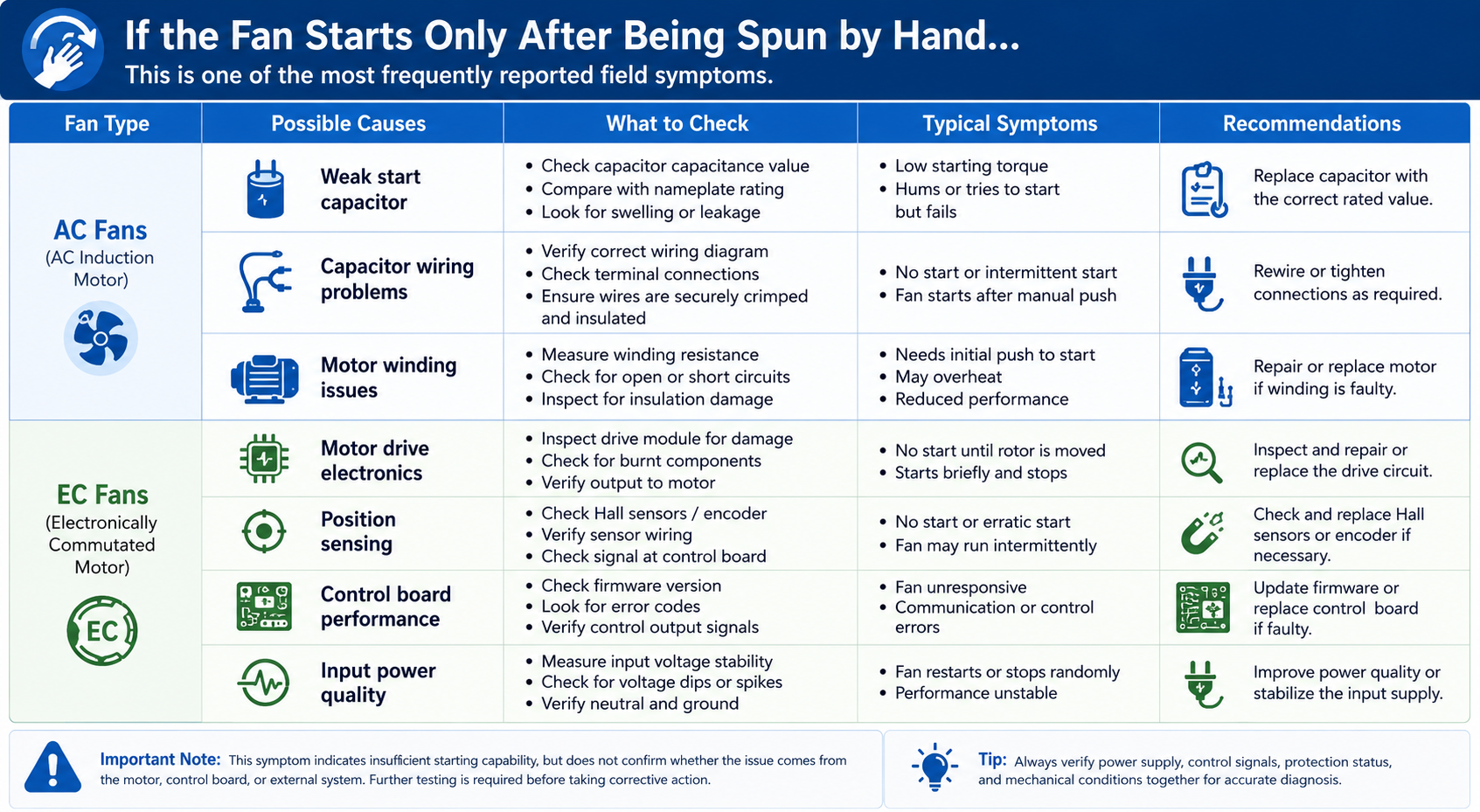
Pic.2 Common causes and solutions for fans not starting |
However, this symptom alone is not enough to determine whether the motor or control board is defective.Further testing is always required before drawing conclusions.
If the fan speed continuously rises and falls, consider several possibilities before replacing components.
Possible causes include:
In many applications, the fan is simply responding to changing control conditions rather than suffering from an internal failure.
Bearing noise is among the most common complaints in industrial applications.
One frequently overlooked factor is the operating environment.
If a fan with an insufficient IP rating operates in a dusty environment, contaminants may gradually enter the bearing.
Over time this can lead to:
Foreign objects trapped inside the impeller can also create abnormal sounds and, in severe cases, lead to overheating caused by rotor blockage.
Routine cleaning remains one of the simplest ways to extend service life.
This is a question many maintenance teams ask.
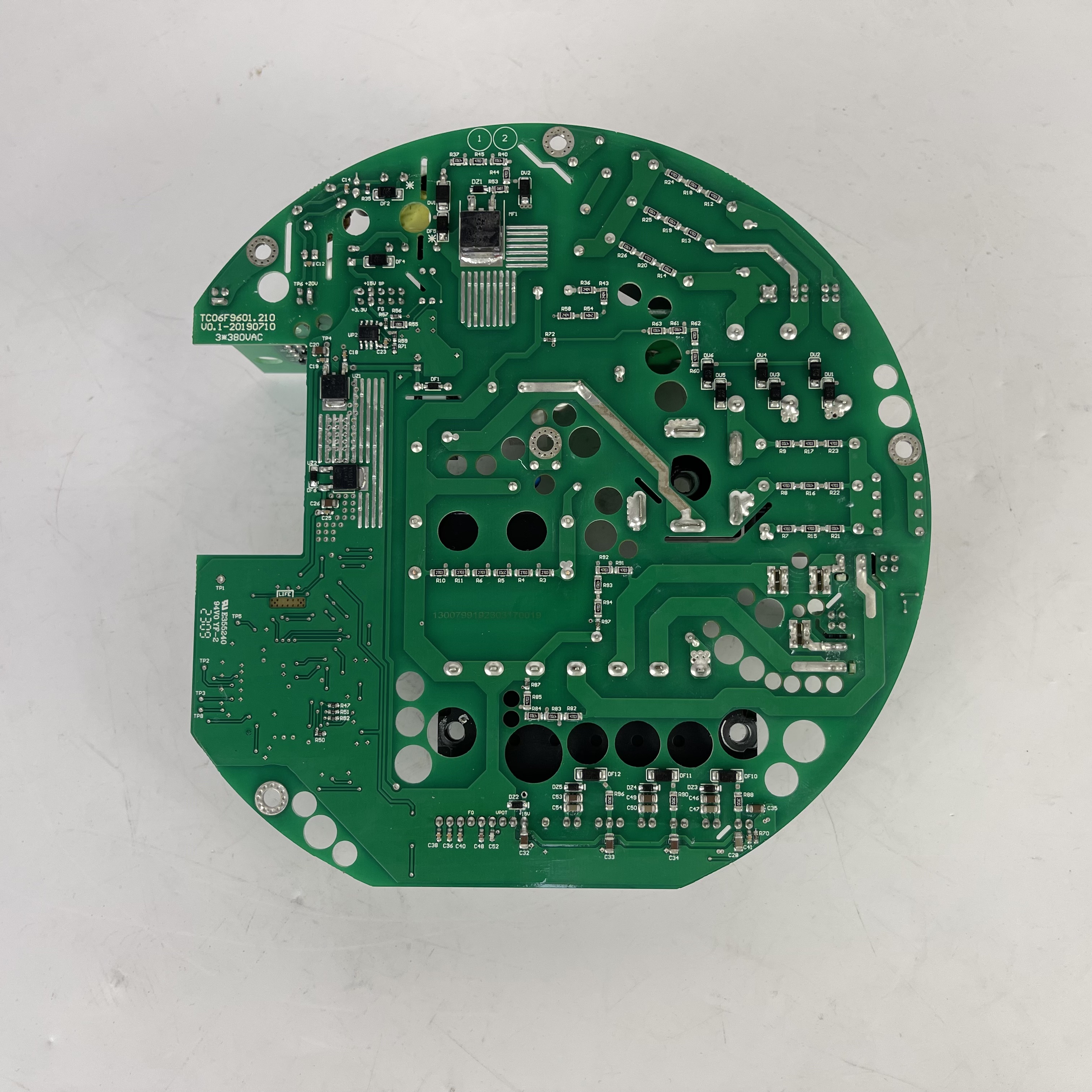
If the fan returns to normal operation after replacing the control board, it may indicate that the original control board was faulty.
 |
|
Pic.3 Fan control board |
However, it does not prove that the control board was the only cause.
Other factors may also have changed during the repair process, including:
For recurring issues, additional investigation is recommended before identifying the root cause.
Some situations require immediate assistance from qualified service personnel rather than continued troubleshooting.
Consider stopping field testing if you observe:
Continuing to operate a faulty fan can significantly increase repair costs and secondary damage.
♦ Finding the Correct Replacement Starts with the Full Model Number
Whether replacing a complete fan, motor, or control board, the full ebm-papst model number is essential.
Whenever possible, record:
A complete model number allows engineers to verify:
Choosing a replacement based only on appearance can easily result in installation or control issues.
When troubleshooting an ebm-papst fan, avoid jumping directly to conclusions.
A structured inspection covering power supply, control signals, protection status, connectors, impeller condition, and bearing health will usually narrow the fault much more effectively than replacing parts by trial and error.
Because many symptoms may have multiple possible causes, remote diagnosis should always be considered preliminary rather than definitive.
If you're unsure whether your fan requires repair, replacement, or an equivalent model, our engineering team can help identify the correct solution based on the complete model number and application requirements.
Whether you need original ebm-papst products, compatible replacement recommendations, or technical support for retrofit projects, we're here to help.
FAQ:
Q1:Why Won't My ebm-papst Fan Start, or Only Starts When Spun by Hand?
A1:If your ebm-papst fan won't start or only runs after the impeller is pushed by hand, it does not necessarily indicate motor failure. The issue may originate from the power supply, control system, or startup components.
Solution & Troubleshooting Steps
(1)Verify power and wiring: Check input voltage, wiring connections, phase sequence (three-phase), and capacitor connection (AC fans).
(2)Check control signals (EC fans): Confirm the Enable signal, 0–10 V/PWM input, and PLC/BMS commands.
(3)Review protection status: Over-voltage, under-voltage, over-temperature, locked rotor, or over-current protection may prevent startup. .
Q2:How to Address Abnormal Noise in My ebm-papst Fan?
A2:(1)Inspect the environment: Dust entering the bearings due to an insufficient IP rating can contaminate lubricant and accelerate bearing wear.
(2)Check for foreign objects: Debris trapped in the impeller may cause abnormal noise or rotor blockage.
(3)Perform routine maintenance: Clean the fan regularly and inspect bearing condition. Worn bearings should be repaired or replaced by qualified personnel.
Q3:How Do I Find the Correct Replacement Model for My ebm-papst Fan or Control Board?
A3:(1)Record complete information: Provide the full model number, nameplate photo, voltage, frequency, and application details.
(2)Match by specifications: Verify mechanical dimensions, electrical compatibility, and performance instead of relying on appearance.
(3)Consult technical support: If unsure, contact a qualified supplier or engineering team to identify the correct original part or compatible replacement.
Tip: The complete model number is the fastest way to identify the correct spare part or replacement solution.
 whatsapp


